Shopify metafields
Typed custom fields on a product, variant, or other resource. One attribute per field—ideal when the value belongs to that item alone.
Metafields & metaobjects for Shopify stores
Live edit and bulk CSV for everyday metafield work. Product Data Health finds gaps. Metaobject Studio bulk-links one reusable entry to many products—a catalog step Shopify Admin still does one SKU at a time.
Custom product data is how modern Shopify catalogs power themes, filters, and channels. Here is the difference in one glance.
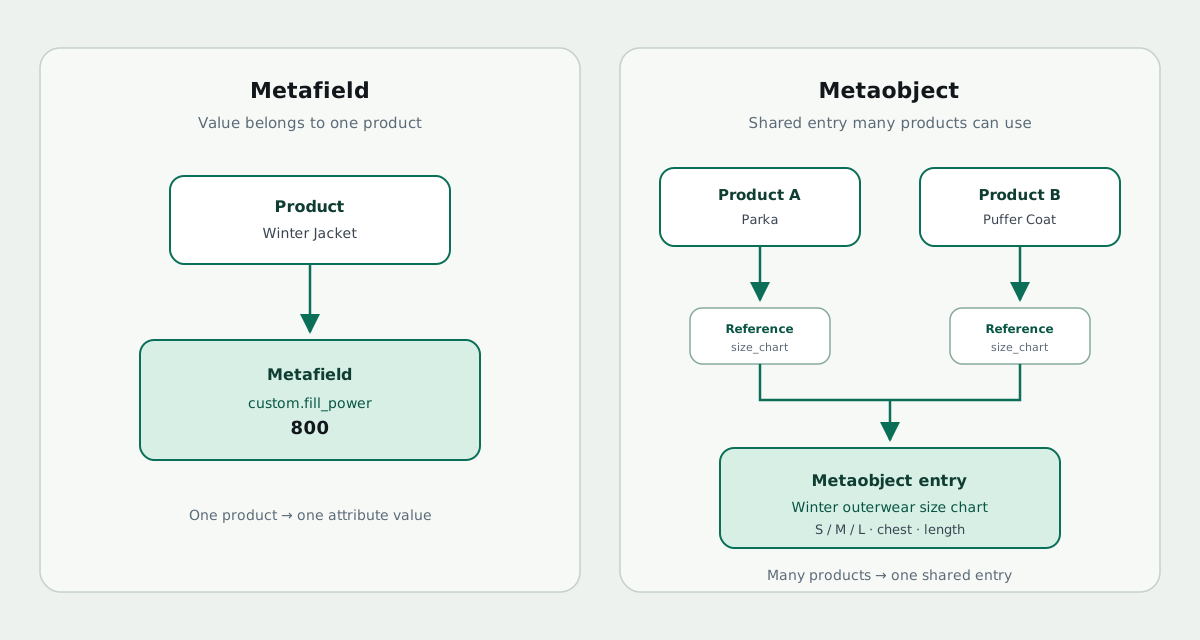
Typed custom fields on a product, variant, or other resource. One attribute per field—ideal when the value belongs to that item alone.
Reusable multi-field records (size charts, ingredients, lookbooks) that many products can reference—edit once, use everywhere.
Start with live edit, CSV, and definitions. Upgrade to Pro for Product Data Health, Metaobject Studio (including bulk link), backups, and the full resource set.
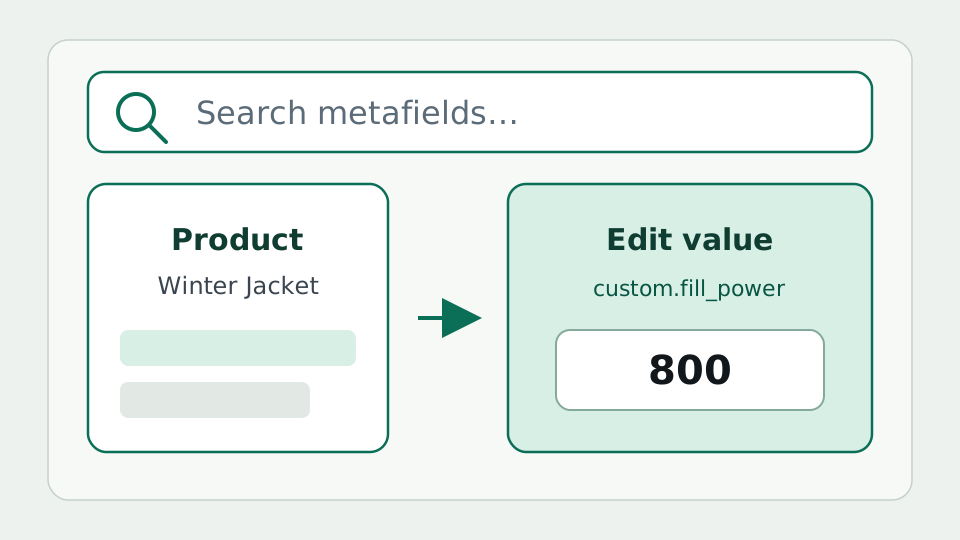
Browse and edit metafields inside Shopify Admin. Starter covers products and variants; Basic adds customers, collections, and orders; Pro unlocks blogs, pages, articles, and shop metafields.
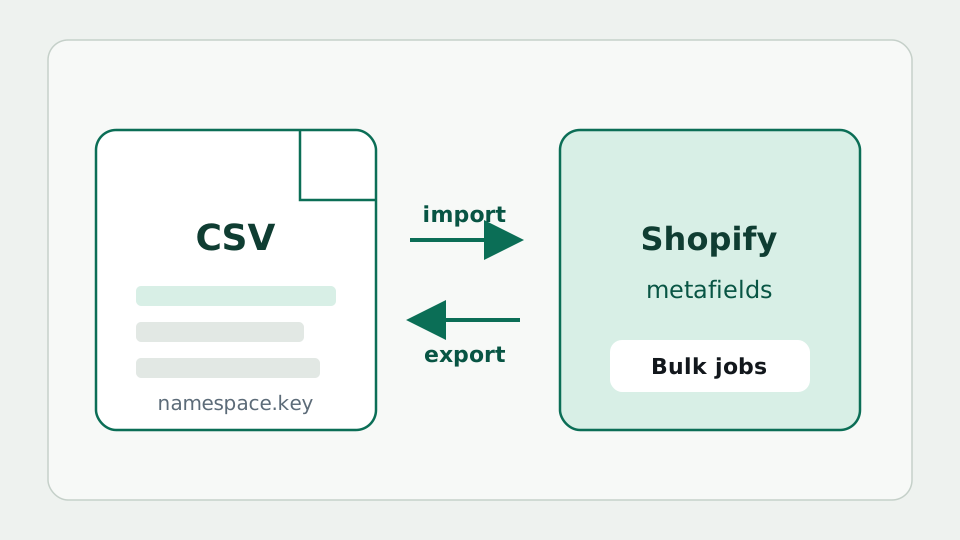
Move metafields in and out with CSV jobs you can monitor—ideal for migrations, agency handoffs, and catalog-wide updates. Included on Basic+; unlimited bulk on Pro.
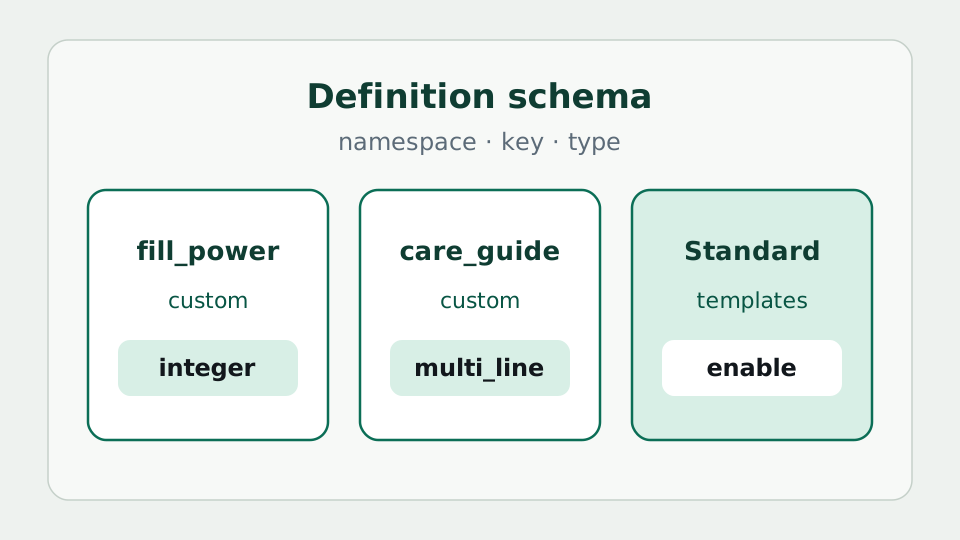
On Basic+: browse, create, update, and delete metafield definitions via Admin GraphQL—including Shopify Standard Definitions templates you can enable for common fields.
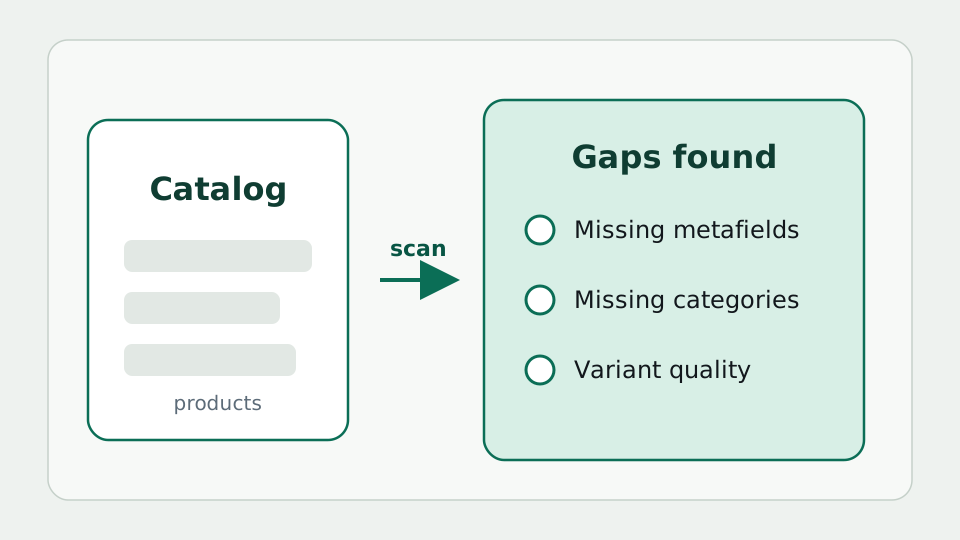
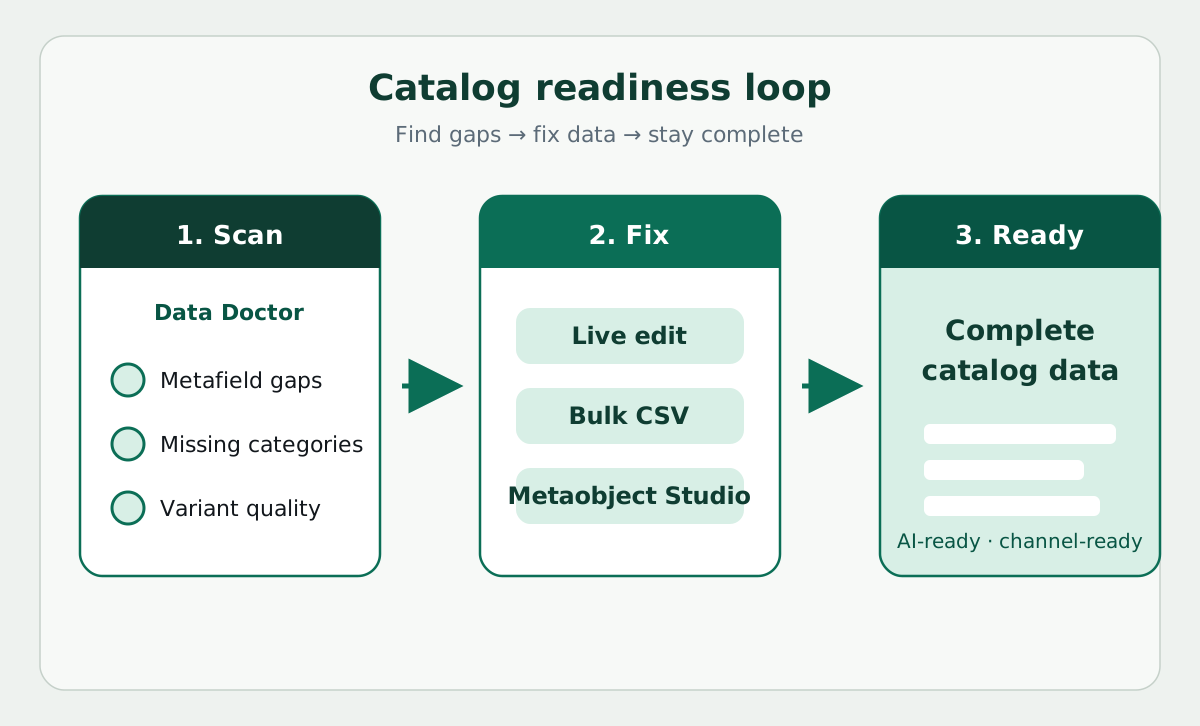
Mission-critical catalog readiness: keep metafields and taxonomy current so you don’t miss sales in filters and channels—and so you’re ready when AI shopping agents act on your data. Every plan includes free metafield coverage scans; Pro adds weekly reports, profiles, and AI category suggestions.
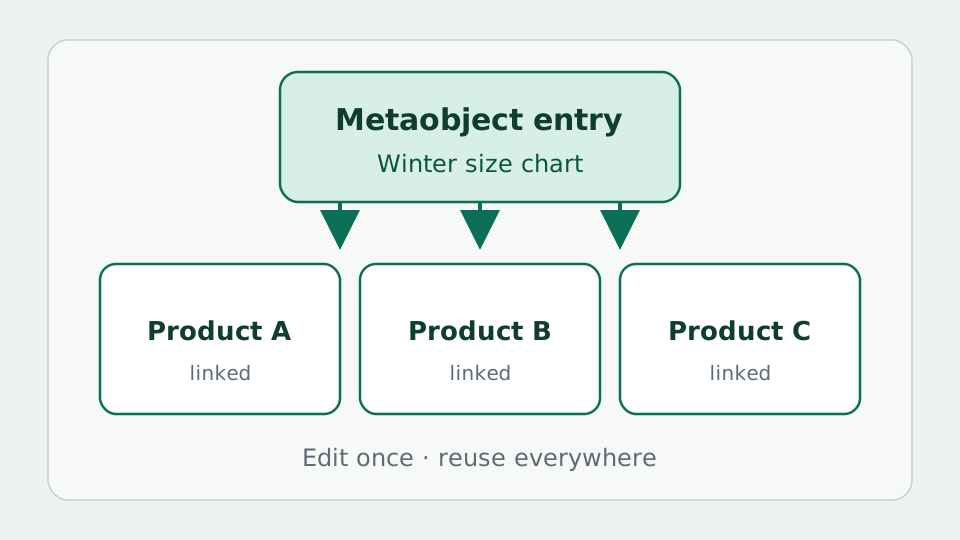
On Pro: create definitions and entries, then bulk-link one entry to many products—Shopify Admin has no first-class “apply this size chart to these products” tool. Browse, dry run, and undo. Also run reference scans and open theme blocks via Show on storefront.
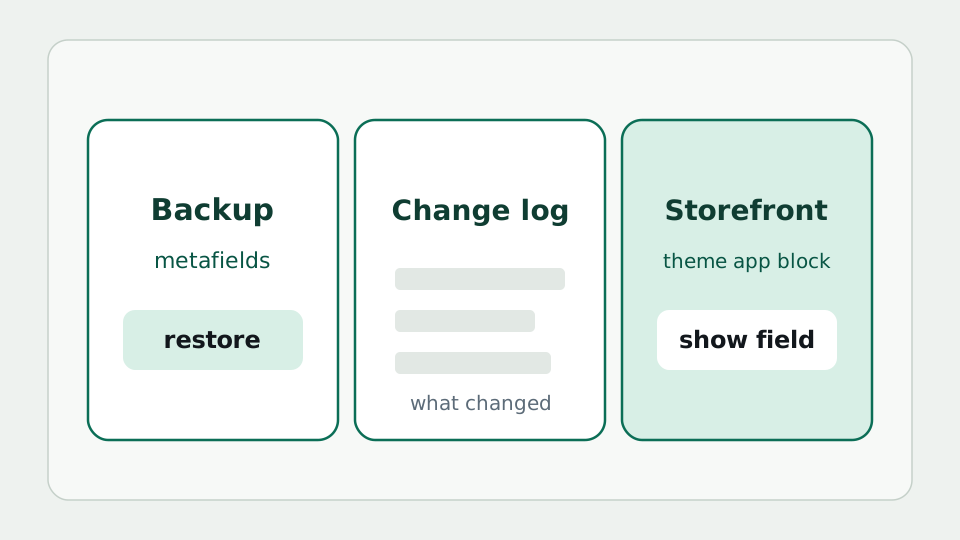
On Pro: automatic metafield backups with restore, and a product change log when enabled in Settings. On every plan: theme app blocks to surface metafields on the storefront.
Metaobject Studio · Pro
When the same size chart, care guide, lookbook, or material record should appear on dozens or hundreds of products, you should not open each product one by one. Bulk link sets a product metafield so each selected product points at one saved metaobject entry. Edit the entry once—every linked product stays current.
Shopify lets you create metaobjects and pick a reference on a single product. You can also paste GIDs into a product CSV or the bulk editor. What Admin does not offer is a first-class “this entry → these products” flow: choose the size chart, choose the products, preview, apply. That is the gap bulk link fills.
Link one men’s and one women’s size chart entry across an entire season’s styles.
Point many SKUs at the same ingredients or usage metaobject so compliance copy stays consistent.
After a migration or new metafield definition, attach the right entry to a filtered product set without a custom script.
Use Admin when you are linking a handful of products. Use CSV or the native bulk editor when each row needs a different value (or you already have a spreadsheet of GIDs). Use bulk link when many products should share the same metaobject reference—pick the entry once, choose the products, preview, then apply.
Read the bulk-link how-to → · Read the Metaobjects Studio guide · See all features
A practical loop for merchants (and agencies who support them) who care about filters, channels, and complete custom data.
Install from the App Store, then work embedded in Admin—no separate spreadsheet app required.
Shopify Catalog already powers shopping guides and AI-assisted discovery. See live examples—then use Data Doctor so your metafields and taxonomy are ready to show up clearly.
How merchant products appear on Catalog-powered guides, what agents need from structured data, and how our app closes the gaps.
The shared product graph behind shopping guides—how Roomline and Barrier Index show live brand products.
Checklist: taxonomy, sizes, dimensions, and the scan → fix → verify loop.
Why width and depth metafields matter—with Roomline as the live demo.
Why clear sizes and attributes matter—with Barrier Index as the live demo.
Small-space furniture shortlists that prefer listed dimensions—live Catalog cards.
Barrier-first skincare shortlists with clear sizes—another Catalog-powered vertical guide.
Start with the basics if you are new to metafields, then dig into Health, Studio bulk link, and CSV. Detailed CSV column rules stay in the help center.
Getting started: install, live edit, CSV, Data Doctor, bulk link, and FAQ.
SEO guide for new merchants: what custom data is for, when to use metafields or metaobjects, and how to keep catalogs complete.
When to use bulk CSV, how jobs work, and a link to column format help.
How incomplete metafields and taxonomy cost sales today—and leave you unready for AI shopping agents.
What the scan checks, how to read results, and how to close gaps with CSVs.
When to use metaobjects vs metafields, and how Studio bulk-links one entry to many products.
The Shopify Admin gap: apply one size chart (or other entry) to many products without CSV GIDs or clicking every SKU.
When Health + Studio + CSV fits better than a grid-only workflow.
Why Standard Product Taxonomy matters for channels and discovery.
Billing is handled by Shopify and appears on your Shopify invoice.
Each shop may receive at most one 5-day free trial on the first paid subscription only.
Free
Free metafields for your catalog—products and variants.
If you have a very large product catalog, a paid plan often performs better for bulk work and full-store metafields.
$8.99 / month
Metafields across resources, plus metafield definitions (Basic+).
Includes a 5-day free trial on your first paid subscription.
$15.99 / month
Metaobject Studio, Product Data Health, full-store metafields, backups, and unlimited bulk.
Includes a 5-day free trial on your first paid subscription.
$30.99 / month
Full Pro feature set—Metaobject Studio, Product Data Health, and more—for Plus teams.
Includes a 5-day free trial on your first paid subscription.
Billed through Shopify on your Shopify invoice. Learn more about Metafields Editor plans
Install, edit, CSV, Data Doctor, and bulk link—plus answers to common questions.
Install from the Shopify App Store, then open the app from your store’s Apps page. Start on Starter with free metafield coverage scans; upgrade to Pro for full Data Doctor, Metaobject Studio with bulk link, backups, and unlimited bulk.